Your web designer stopped answering emails.
You need a quick website edit. Or your contact form broke. Or your site is suddenly down. Or you finally decided you want to move on, but now you have no idea where your domain, hosting, website login, plugin licenses, or Google accounts actually live.
First, breathe.
This happens more often than most business owners realize, and in many cases, your website can still be recovered, repaired, or rebuilt into something more stable. The bigger issue is usually not the disappearing web designer. The bigger issue is discovering that you never had full control of your own business assets in the first place.
And that is where things can get messy.
I have had clients come to me after a web designer put the client’s domain inside their own hosting account and then refused to give it back. I have seen business owners stuck with only Editor access in WordPress, which means they could log in but could not make major changes or remove the original designer. I have seen companies lose access to their Google Business Profile because a random employee set it up years earlier and then left. I have also helped clean up a situation where a business owner gave direct login credentials to someone overseas for SEO work, then the site was hijacked and redirected when she refused to pay more money.
So yes, web design horror stories are real, but there is also a path forward.
If you are dealing with an unresponsive designer, missing logins, or a website setup you do not understand, the goal is to get clear, regain access where possible, and make sure your website is no longer dependent on one unreachable person.
If you are planning a website redesign and want things set up correctly from the beginning, you can learn more about my website design services.
What Happens When a Web Designer Stops Responding?
When a web designer disappears, the first problem is usually uncertainty.
You may not know whether they are busy, unavailable, sick, on vacation, overwhelmed, out of business, or intentionally avoiding you. Sometimes the issue is poor communication. Sometimes it is a bad business setup. Sometimes it is a true access problem.
The most common situations I see include:
- You need website edits and cannot get a response.
- Your website is down and you do not know who to call.
- You do not know where your domain is registered.
- You do not know who hosts your website.
- You do not have full WordPress admin access.
- Your email, hosting, or Google accounts were set up by someone else.
- Your website depends on paid plugins owned by the designer.
- You want to move to a new designer but cannot access the pieces needed to do that safely.
Some of these problems are quick to fix. Others can take days to untangle.
In my experience, when someone comes to me after a designer disappears, it can take about a week to figure out what they have access to, what they do not have access to, what can be recovered, and what needs to be rebuilt or replaced.
That does not always mean the site is gone.
It means we need to investigate before making assumptions.
The First Thing to Check If Your Web Designer Disappeared
The first step is figuring out what you actually control.
A lot of business owners do not know where their website is hosted. They do not know where their domain is registered. They do not know whether their email is through Google, Microsoft, their hosting company, or something else entirely.
That is normal. Website accounts can feel confusing when you do not work in them every day.
But if your web designer is no longer available, access matters fast.
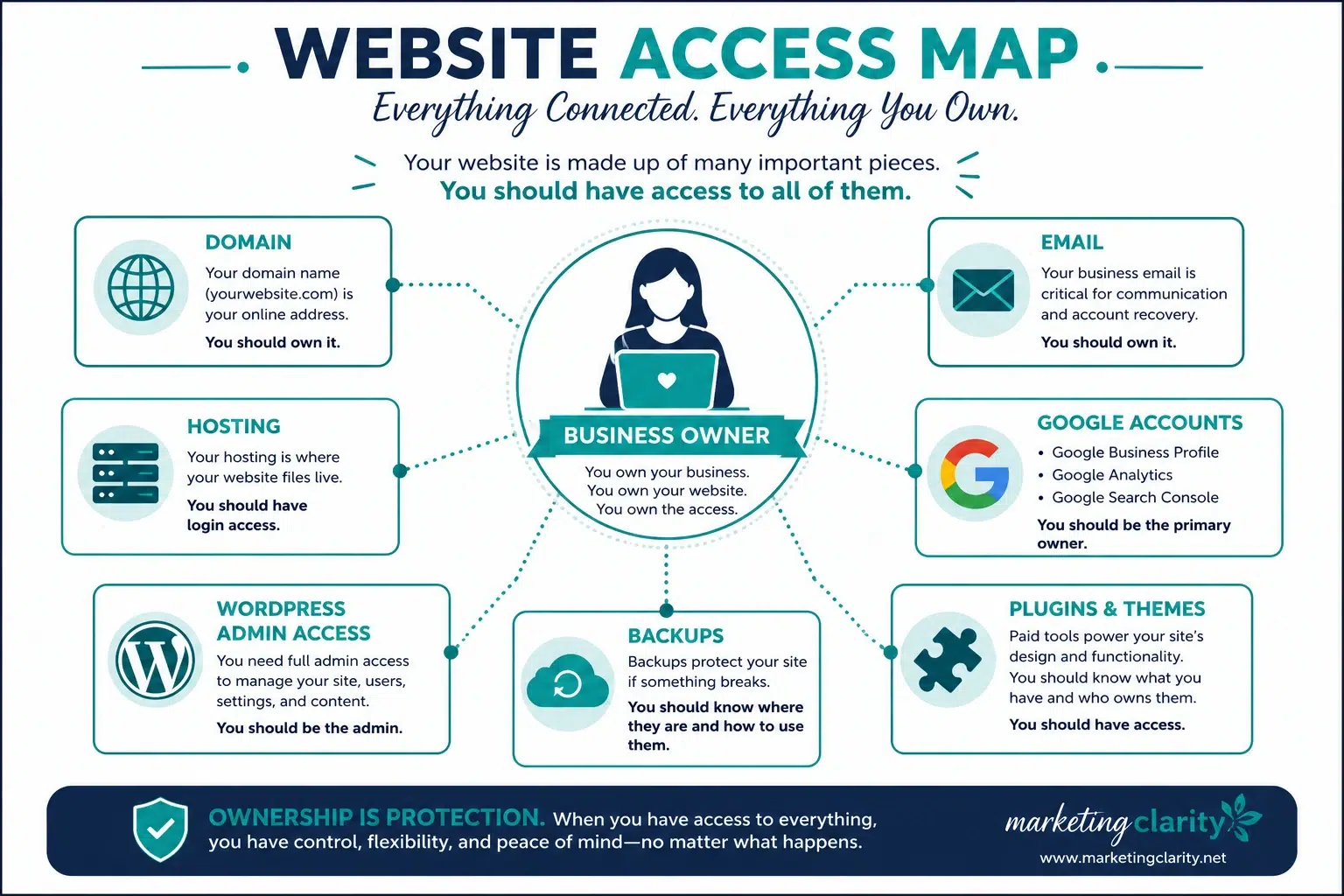
The first things I would check are:
- Domain registration: Where was your domain purchased? Examples include GoDaddy, Namecheap, Bluehost, or another domain registrar.
- Website hosting: Where does your website live? This may be GoDaddy, Bluehost, SiteGround, Kinsta, Clarity Hosting, or another hosting provider.
- Website admin login: Do you have full Administrator access to WordPress, or only Editor access?
- Email accounts: Are your emails managed through Google Workspace, Microsoft 365, your hosting account, or another provider?
- Google Business Profile: Is the business owner listed as the primary owner?
- Google Analytics and Search Console: Do you have access to your website data?
- Plugin and theme licenses: Are any important paid tools registered under your designer’s account?
- Backups: Do backups exist, and where are they stored?
If you do not know where your domain or hosting is, a web professional can often use a Whois lookup or DNS lookup to get clues. It may not reveal everything, especially if privacy protection is turned on, but it is a good starting point.
Website Ownership Matters More Than You Think
Your website is a business asset.
The same way you would not want a random vendor to own your business bank account, you should not want your web designer to be the only person who controls your domain, hosting, website, or Google accounts.
A good web designer can help set things up. They can guide you. They can manage technical pieces. They can even have access so they can do their job.
But the business owner should still retain control.
In my own projects, I try to set accounts up in the client’s name whenever possible. The client should own the hosting. The client should own the domain. The client should have admin access to the website. The client should be able to remove my access if needed.
That is not offensive.
That is responsible.
When I build a website for a client, the materials created for that project belong to the client. It is their business, their website, and their asset. There is no reason for me to retain unnecessary control over something that was built for them.
Ownership also comes with responsibility.
If your hosting renewal is due, that payment needs to be made. If your domain expires, it can create serious issues. If your plugin licenses need renewal, someone needs to know which ones matter. Your designer can help manage pieces of that process if you have an ongoing relationship, but your website should not fall apart simply because one person becomes unavailable.
Website Access Checklist for Business Owners
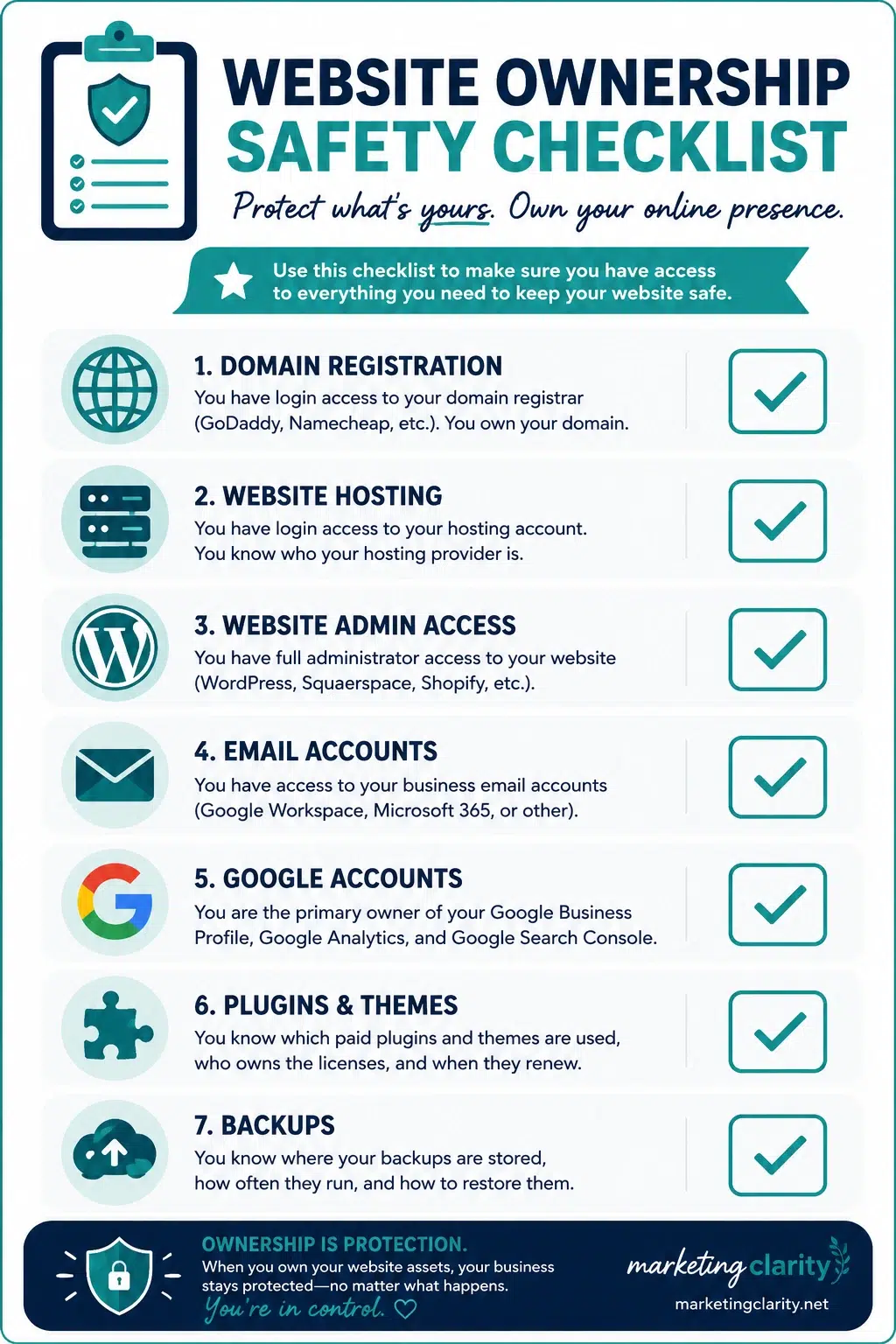
Use this checklist to see how protected you are right now.
| Website Asset | What You Should Have | Why It Matters |
|---|---|---|
| Domain | Login to the domain registrar account | Your domain controls where your website and email point. |
| Hosting | Login to your hosting account | Hosting support can often help with downtime, backups, and technical issues. |
| Website Platform | Administrator access to WordPress, Squarespace, Shopify, or your platform | You need the ability to manage users, plugins, settings, and major site changes. |
| Access to Google Workspace, Microsoft 365, or email hosting | Email is often tied to domain settings and business communication. | |
| Google Business Profile | Primary owner access | This impacts local search visibility, reviews, and business information. |
| Paid Plugins and Themes | List of licenses, renewal dates, and account owners | Some websites rely on paid tools to keep designs and features working. |
| Backups | Knowledge of where backups are stored and how often they run | Backups can save your website when something breaks. |
This is also why I recommend giving vendors delegated access whenever possible instead of handing over your personal login credentials. If you give someone your direct login, it can be harder to remove them cleanly later.
I have a full guide on this here: How to Safely Provide Admin Access to Your WordPress Site.
What If Your Website Uses Paid Plugins Owned by Your Designer?
This is one of the sneakiest issues I see.
A developer may build your site using pro-level plugins, like Elementor Pro or other paid tools. While you are working together, everything looks fine. Then the relationship ends, the license is disconnected, and suddenly parts of your website stop working correctly.
That does not always mean the designer did something wrong. Some designers use agency licenses across multiple client sites. That can be a normal setup.
The problem starts when the business owner has no idea the website depends on tools they do not own or cannot renew.
Before you move away from a web designer, ask:
- Which paid plugins are active on my website?
- Which paid theme is being used?
- Who owns each license?
- What happens if the license is disconnected?
- Can I purchase my own license if needed?
- Will anything break if I stop working with this designer?
Personally, I try not to overload client websites with paid plugins unless they are truly needed. I do not want clients paying for a dozen extra subscriptions every month just to keep their website functional.
Clean, sustainable setups matter.
How Urgent Is a Missing Web Designer Situation?
When a business owner is stressed, everything can feel urgent.
I get it.
Your website is important. Your leads matter. Your contact forms matter. Your online presence matters.
But there is a difference between “I am panicking” and “my business is in immediate danger.”
That distinction matters because it helps you take the right next step instead of making the situation worse.
| Situation | Urgency Level | Best First Step |
|---|---|---|
| Website is completely down | High | Contact your hosting company and check for available backups. |
| Website redirects to a strange site | High | Contact hosting support, change passwords, and have the site scanned. |
| You need a small text or image edit | Low to Medium | Check your website access or hire someone for a small update. |
| You cannot access your website dashboard | Medium | Try password recovery, then check hosting access if needed. |
| You want to leave your current designer | Medium | Gather logins, review licenses, and make a transition plan. |
If your website is down, your hosting company may be able to help. Depending on your hosting plan, they may be able to identify the issue, restore a backup, or point you in the right direction.
This is one reason ownership is so important.
If your hosting account is in your name, you can call support. If your hosting account is buried under someone else’s account and that person will not respond, your options become more limited.
What If Your Web Designer Owns Your Domain or Hosting?
This is one of the most serious situations.
If your designer owns your domain, they control a major piece of your online identity. If they own your hosting, they may control where your website files live. If they own both, you may have to negotiate, recover access through the provider, or rebuild somewhere else.
I have seen a business have to start over on a new domain because the previous designer put the original domain in their own account and refused to release it.
That is painful.
It can affect branding, SEO, printed materials, email, customer trust, and every place that domain has been shared.
If you are in this situation, document everything:
- Save emails, invoices, and contracts.
- Find proof that the domain or website was created for your business.
- Contact the domain registrar or hosting company.
- Ask the previous designer, in writing, to transfer ownership.
- Have a backup plan if the asset cannot be recovered quickly.
This is also a good time to read Web Designer Scammers Are on the Prowl, especially if something about the relationship feels manipulative, suspicious, or intentionally difficult.
How to Protect Your Website Before a Designer Disappears
The best time to organize your website access is before there is a problem.
Set up a secure place to store your logins. Use a password manager if possible. Keep a record of your website-related accounts, who has access, and what each account controls.
At minimum, you should know:
- Where your domain is registered
- Where your website is hosted
- Who has admin access to your website
- Where your email is hosted
- Who owns your Google Business Profile
- Which plugins and themes are paid
- Where your backups are stored
- How to remove access from former vendors
If you are currently working with a web designer, ask them for a simple access summary.
That does not need to be dramatic. You can say something like:
“I’m organizing my business accounts and want to make sure I have everything documented. Can you send me a list of where my domain, hosting, website login, plugin licenses, and backups are managed?”
A professional should understand why you are asking.
You are not accusing anyone of anything. You are protecting your business.
Can You Update Your Website Yourself If Your Designer Is Gone?
Sometimes, yes.
If you have full admin access and your website is built in a way that is reasonably user-friendly, you may be able to make basic edits yourself. That might include updating text, swapping images, adding blog posts, or making small content changes.
But be careful.
There is a difference between updating a paragraph and changing plugin settings, editing code, deleting users, or touching DNS records. Some areas are safe for most business owners to manage. Others can break your site fast.
If you want a realistic breakdown of what you can and should not touch, read Can I Update My WordPress Website Myself?.
The goal is not to make you responsible for every technical detail forever.
The goal is to give you enough control that you are not stuck when one person stops answering.
What a Healthy Web Designer Relationship Should Look Like
A healthy web designer relationship is built on trust, clarity, and access.
Your designer should be able to do their job. They may need access to your website, hosting, DNS, email settings, forms, analytics, or other tools depending on the project. That is normal.
But access should be intentional.
Whenever possible, your designer should have their own login or delegated access. You should have the ability to remove them if the project ends. Your business accounts should be connected to your business email, not someone else’s personal inbox.
That setup protects everyone.
It protects you because you keep control of your assets. It protects the designer because they are not responsible for owning or paying for things that belong to your business.
Boundaries are good.
Clear ownership is good.
Documented access is good.
What to Do Today If You Are Worried About Website Access
If this article has you quietly whispering “oh no” at your screen, start simple.
Do not tear everything apart today. Do not fire off angry emails. Do not panic-change random settings.
Start by gathering information.
- Find your domain registrar login.
- Find your hosting login.
- Check your WordPress user role.
- Confirm where your email is hosted.
- Check who owns your Google Business Profile.
- Make a list of paid plugins and themes.
- Ask your current designer for an access summary.
- Make sure backups exist.
Once you know what you have, you can make smart decisions.
Maybe everything is fine and you simply needed a better recordkeeping system.
Maybe you need to move a domain into your own account.
Maybe you need a new admin login.
Maybe you need a website professional to help untangle the setup and build a safer plan moving forward.
That is fixable.
And once it is fixed, you will feel a whole lot better.
 Final Thoughts on What Happens If Your Web Designer Disappears
Your web designer should be a trusted partner, not a single point of failure.
If they disappear, get sick, retire, change careers, go on vacation, or simply stop responding, your business should still be able to function.
Your web designer is not IT support for the rest of your business life. Your hosting company can resolve many technical issues, depending on what is happening, and backups are your friend.
That is why ownership matters so much.
The more control you retain over your business assets, the fewer problems you will have if something goes wrong.
Ownership is protection.
If your website setup feels messy, confusing, or too dependent on one unreachable person, it may be time to get help untangling it. You can learn more about working together through my website design services.