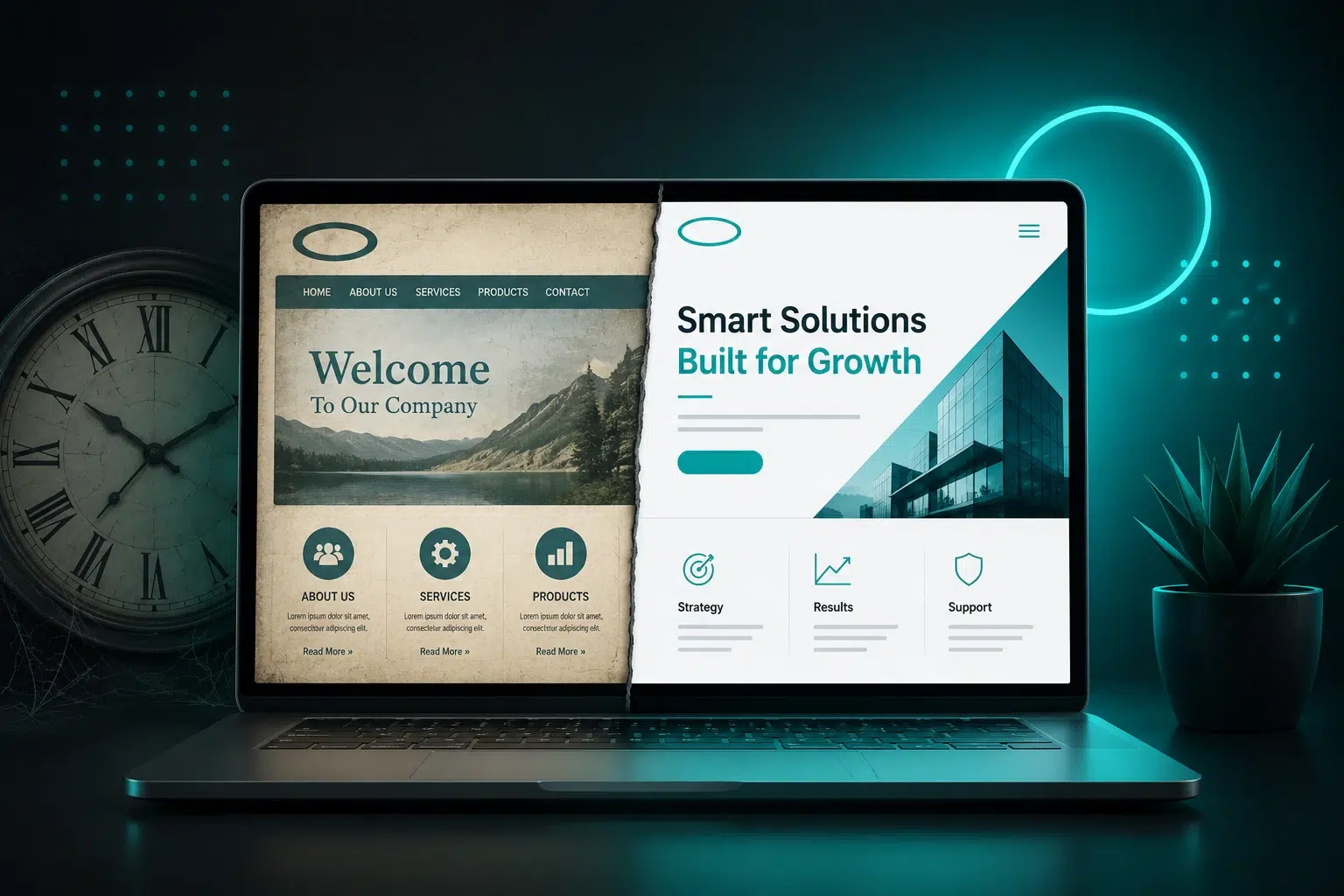
Your website can technically work and still be outdated.
The pages load. The navigation works. Nothing appears obviously broken. But that doesn’t mean the website is still doing its job.
A website starts to feel outdated when its design, technology, content, or functionality no longer matches how people use the internet, how search engines evaluate websites, or what your business actually offers today. Sometimes the problem is obvious, like a site that doesn’t scale properly on a phone. Other times, the website looks perfectly fine while outdated technology, ineffective copy, or a broken contact form is quietly costing you business.
And no, an outdated website does not automatically mean you need a new one.
That distinction matters.
A Website Can Work Without Working for Your Business
When business owners tell me their website still works, they usually mean they can type the URL into a browser and the website appears.
That’s a pretty low bar.
A website also needs to:
- Work properly across different devices
- Clearly explain what you do
- Help the right people recognize that you solve their problem
- Give search engines enough information to understand your business
- Make it easy for visitors to take the next step
- Keep functioning as WordPress, PHP, plugins, browsers, and security requirements change
- Accurately represent the business you have today
If it isn’t doing those things, I wouldn’t consider it a fully functioning business website just because the homepage loads.
Some Design Choices Age a Website Faster Than Others
Website design trends change. That doesn’t mean you should redesign your website every time a new trend comes along.
But there are certain design choices that can make a website feel like it belongs to a different era.
One of my biggest pet peeves is a strong color covering the entire background of a website. I’m not talking about a strategically placed brand color. I’m talking about opening a website and being surrounded by bright yellow, pink, or another intense color from edge to edge.
It can instantly make a site feel like it was designed decades ago.
Another one I’m increasingly ready to retire is the giant homepage slider.
For years, sliders were everywhere. Businesses wanted three, four, or five messages rotating through that prime space at the top of the homepage.
But think about how you actually use a website.
You land on the page. You look at what’s in front of you. If it seems relevant, you scroll. If it doesn’t, you leave.
You’re probably not sitting there waiting for slide number four to appear.
Sliders can also add unnecessary weight to a page. I’d rather use that space to immediately communicate who the business helps and why the visitor should keep reading.
That’s a much better use of a few seconds of someone’s attention.
Mobile Can Expose an Old Website Immediately
One of the clearest signs that a website is outdated is what happens when you open it on your phone.
A modern website needs to scale.
Text shouldn’t run off the screen. Images shouldn’t sit awkwardly on top of other elements. Visitors shouldn’t have to pinch and zoom. Fonts shouldn’t suddenly become microscopic because nobody checked how the desktop design translated to a smaller screen.
Even when I’m building a website today, I don’t assume that because something looks good on desktop, it’s automatically going to look good everywhere else. You have to check it.
Sometimes an image needs to be handled differently. Sometimes the spacing needs adjusting. Sometimes a font that looked great on desktop is way too small on a phone.
This isn’t just about appearance, either. Google uses mobile-first indexing, which means the mobile version of your website is critically important to how Google understands and evaluates your site.
I’ve written more about why this matters in How Mobile-First Design Impacts Website Conversions.
What Customers Expect From Websites Has Changed
Think about something as basic as a phone number.
Years ago, having your phone number displayed prominently on your website was enough.
Today, someone may be viewing your website from the exact device they want to use to call you. That phone number should be clickable.
That’s a small example, but it demonstrates why websites age even when nobody does anything “wrong.”
Technology changes. Devices change. User behavior changes. Search engines change. Security requirements change.
Your business changes too.
The website you built seven years ago may have accurately described your services then. Does it accurately describe them now?
Are you still offering everything listed on the site? Have you added services? Has your pricing changed? Are you targeting a different type of customer? Has the way you sell your services changed?
A website isn’t something you build once and never touch again.
Sometimes the Design Is Fine and the Words Are Outdated
I’ve had people come to me convinced they needed a new website, only for me to look at it and tell them they didn’t.
I remember one in particular where the website was actually wonderful. It didn’t need to be torn down and rebuilt. It needed a few strategic changes.
I’m not going to recommend a complete redesign just because a website has been around for a while.
Sometimes the problem isn’t the design at all. It’s the language.
I’ve seen beautiful websites that don’t communicate anything useful.
You might have headings that say:
“Welcome to Our Company.”
“Contact Us Today.”
Those phrases aren’t necessarily doing anything for your search visibility, and they certainly aren’t helping a visitor understand why they’ve landed in the right place.
The website has several jobs happening at once.
It needs to help the right people find you. Once they arrive, it needs to quickly communicate that you understand the problem they’re trying to solve. Then it needs to give them a reason and a way to take action.
That’s why some objectively ugly websites convert incredibly well.
They have the right language.
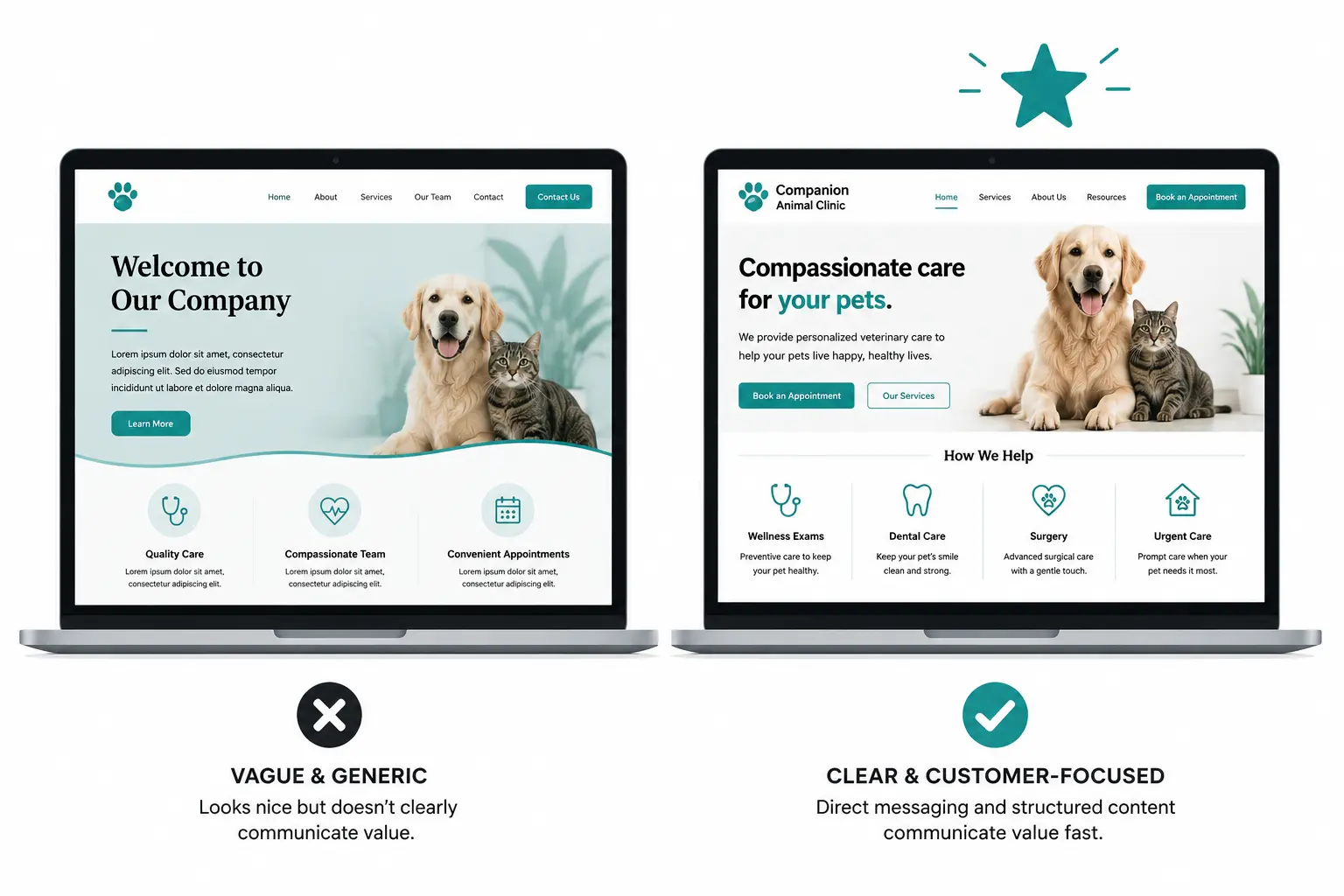
I’ve seen the opposite plenty of times too: beautiful websites that don’t generate inquiries because the messaging doesn’t mean anything to the people they’re trying to reach.
If that sounds more like your problem, you may not need a redesign at all. I go deeper into that distinction in Does Your Website Need a Redesign or Just Better Copy?.
Website Copy Has Changed Along With Customer Expectations
The way we write websites has changed over the years too.
There was a time when websites commonly led with the company’s story. Who founded it? Why did they start the company? What’s their philosophy?
Those things can still matter, but I generally don’t want them to be the first thing a potential customer has to read.
The visitor came to your website because they need something.
What problem are they trying to solve? Do you solve it? Why should they trust you to solve it?
That’s where the conversation should start.
You can absolutely tell your founder story. There is still a place for personality and connection. But the website needs to be customer-focused before it becomes company-focused.
If your website is still talking primarily about you while your competitors are clearly speaking to the customer’s problem, your site can feel outdated even if the design itself isn’t.
AI Is Creating a New Kind of Outdated Website
There’s also an interesting problem happening right now.
Business owners are using AI to generate website copy, pasting it directly onto their sites, and calling it finished.
I’m not against using AI. But you still have to know what the website needs to accomplish.
AI doesn’t inherently know what makes you the right choice for your specific customers. It doesn’t know which parts of your actual experience matter unless you give it that information. It doesn’t know whether your contact form works. And generic AI-generated copy can make different businesses sound exactly the same.
One of the visual giveaways for me right now is the excessive use of emojis in website copy because someone generated the content with AI and pasted it in without really editing it.
It looks like AI wrote the website.
That’s a problem because people aren’t hiring you because AI says you’re an excellent, trusted, innovative provider. They want to understand why you’re actually the right person or company for the job.
A website should sound like the business it represents.
The Biggest Problems May Be Behind the Website
Some outdated websites don’t look outdated at all.
I worked with a company whose WordPress website technically functioned. If you visited it, you could look through the site.
The bigger problem was underneath it.
Parts of the website had been custom coded in a way that was no longer compatible with current PHP and other technology the site relied on. The company couldn’t properly update plugins. There were plugins they wanted to use that weren’t compatible with the old setup.
To the average visitor, the website “worked.”
For the company trying to maintain and improve it, it absolutely did not.
This is something business owners often don’t know to look for.
On a WordPress website, I may find:
- Outdated plugins
- Inactive plugins that should have been removed
- Extra installed themes creating unnecessary security risks
- An outdated PHP version
- Plugin conflicts
- No reliable website backup
- Old functionality that can’t support newer tools
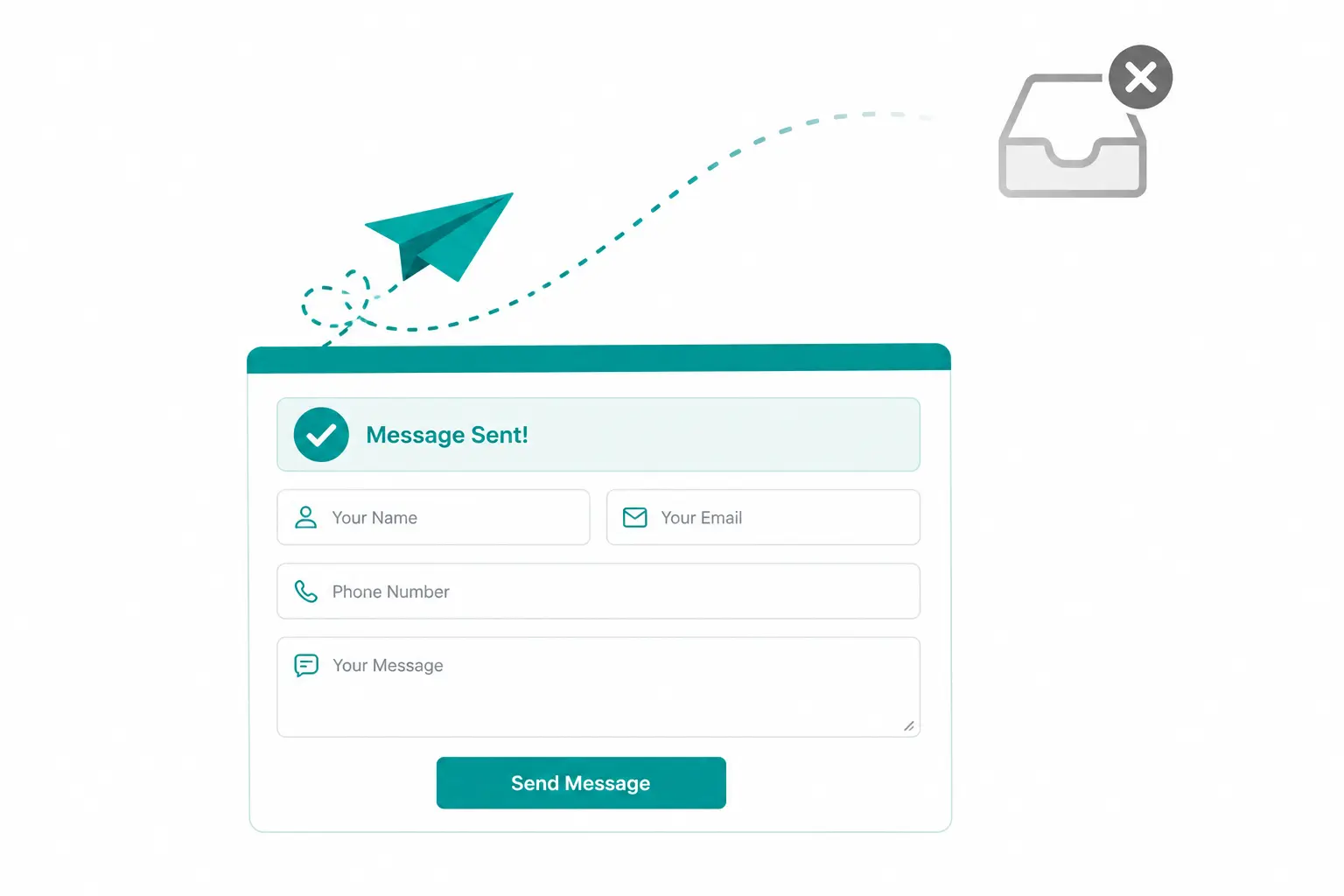
- Forms that appear to submit but aren’t actually delivering messages
That last one deserves particular attention.
Your Contact Form Can Look Like It Works When It Doesn’t
I’ve seen website contact forms stop delivering email even though everything looks completely normal to the person filling out the form.
The visitor completes the fields, hits submit, gets a success message and assumes you received their inquiry.
You may never get it.
Changes in email authentication and security have made proper email delivery more important than it used to be. In some situations, that means configuring SMTP so messages generated by the website are properly authenticated and delivered.
Most business owners have no reason to know what SMTP is.
That’s exactly the point.
You shouldn’t have to understand every piece of technology running behind your website. But somebody needs to make sure it’s working.
If you haven’t tested your website’s forms recently, test them. Actually confirm the message arrives where it’s supposed to go.
I wrote a separate guide on why website emails go to spam or fail to arrive because this is one of those problems that can quietly cost a business real leads.
An Outdated Website Can Change How People Perceive Your Business
There’s another side of this that is harder to measure.
When I see a website that clearly hasn’t been touched in years, I start wondering whether the business has been keeping up too.
Is that assumption fair?
Not necessarily.
A fantastic service provider can have a terrible website. I’ve seen it plenty of times.
But potential customers don’t have all the information you have about your business. They’re making judgments based on what’s in front of them.
If your website looks neglected, contains outdated information, doesn’t work properly on their phone, or uses language that doesn’t make sense anymore, that becomes part of their first impression of your company.
At minimum, it can create unnecessary doubt.
For an established business, it can also make the company look much smaller or less sophisticated than it actually is.
Your website doesn’t have to be flashy. It needs to accurately represent the quality of the business behind it.
Being Embarrassed by Your Website Is Information Too
There is also a much simpler test.
Are you embarrassed to send someone to your website?
If you’re constantly saying, “Ignore the website, it’s old,” when you give someone your URL, something needs attention.
That doesn’t automatically mean you need to spend thousands of dollars rebuilding it. The problem could be cosmetic. It could be the copy. It could be outdated services or images.
But you shouldn’t be actively avoiding one of your primary marketing assets.
I’ve written specifically about what to do when you’re embarrassed to send people to your website because embarrassment alone isn’t enough information to determine whether you need a redesign. You need to figure out what’s actually causing that reaction.
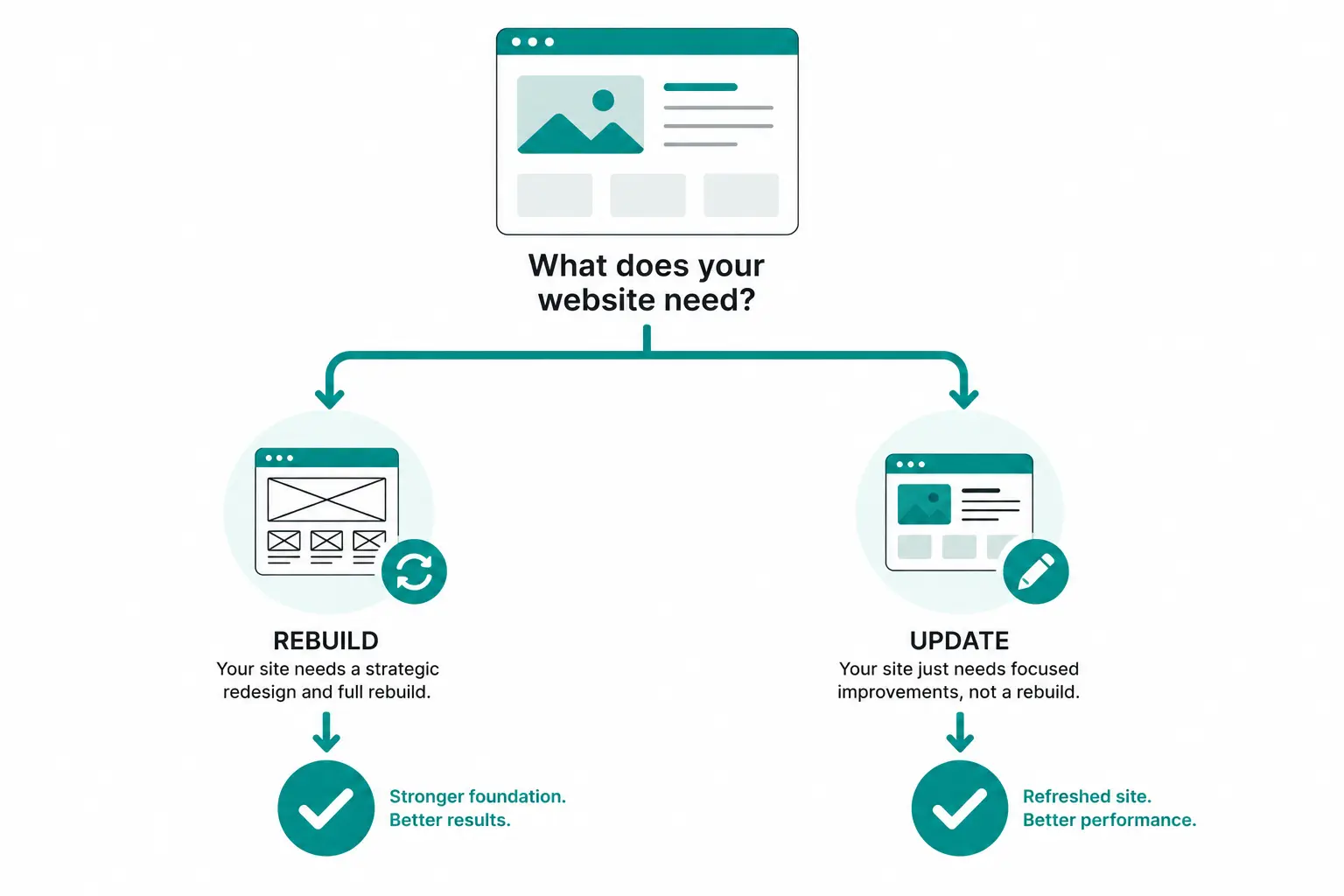
How Do You Know Whether to Update or Redesign Your Website?
I don’t make that recommendation based on the age of the website.
If you tell me your website is seven years old, my first response isn’t automatically going to be, “You need a new website.”
I want to see the website and understand what you’re trying to accomplish.
If your services have completely changed, the website doesn’t operate properly anymore, the underlying technology is causing problems, and the structure no longer supports where your business is going, then yes, rebuilding may make more sense than continuing to patch it.
But if the website is structurally sound and you just need to update some text, change a few images, improve some headings, or clean up a handful of design elements, that’s a completely different project.
Age alone doesn’t determine whether you need a redesign.
You may need a redesign if:
- The website doesn’t scale properly on mobile devices
- Important functionality is failing or can’t be updated
- Old technology is preventing you from maintaining the site
- Your services or business model have changed significantly
- The current structure no longer supports the content you need
- The website no longer represents your brand or your customers
- Fixing the existing site would require more work than rebuilding it properly
You may only need updates if:
- The underlying website is still technically sound
- The design still represents your business well
- Your main problem is outdated copy
- A few services, prices, images, or pages need to be updated
- Your SEO structure needs improvement
- The mobile version needs some targeted adjustments
- Your calls to action or conversion path need improvement
The goal isn’t to have the newest website.
The goal is to have a website that works for the business you have now.
A New Website Can Actually Be Worse Than Your Old One
This is the part of the redesign conversation that doesn’t get talked about enough.
Newer does not automatically mean better.
I’ve built websites that were exactly what a business needed, only to discover a few months later that a large hosting company had convinced the owner to redesign.
I’ve seen a strategically built website that represented the company’s brand, used language developed for its customers, and was structured to convert replaced with what was essentially a white one-page website with a block of text.
That’s not an upgrade just because it was built more recently.
A redesign can hurt you if you throw away useful content, search visibility, branding, functionality, or conversion strategy in the name of making the site look “new.”
This is why I don’t think the question should be, “How old is my website?”
The better question is, “Is my website still doing what my business needs it to do?”
Your Website Doesn’t Need to Be Trendy. It Needs to Be Current.
There is a difference.
You don’t need to redesign your website every two years because some new design trend appeared.
You do need to maintain it.
Check your forms. Keep WordPress and its technology maintained. Look at your site on your phone. Update your services when they change. Revisit your messaging. Make sure the site still represents your brand. Pay attention to whether you’re actually getting inquiries.
And when something feels outdated, figure out what is outdated before assuming the entire website needs to go.
Sometimes you need a new website.
Sometimes you need better copy.
Sometimes you need technical maintenance.
Sometimes you need a handful of thoughtful changes to a website that’s already doing most things right.
If your current website really has reached the point where updating it no longer makes sense, my WordPress web design services are built around the business first: what you offer, who you’re trying to reach, how people find you, and what they need to see before they’re ready to contact you.
Because replacing an old website with a new website isn’t the goal.
Building the right website for your business is.